


-
Description
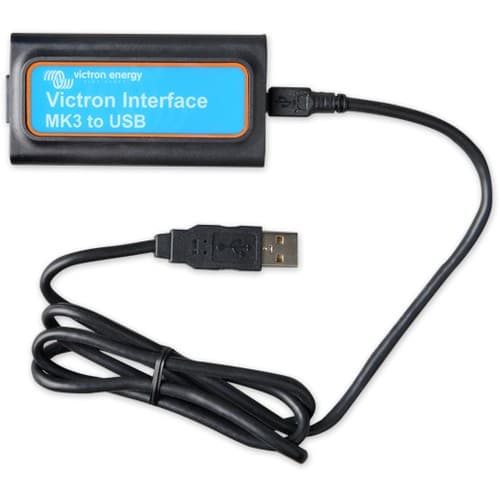
Victron ASS030140000, Interface MK3-USB (VE.Bus to USB)
The Victron Energy ASS030140000 Interface MK3-USB (VE.Bus to USB) is a communication interface that connects compatible Victron VE.Bus devices to a computer via USB, allowing users to configure system settings, adjust operating parameters, and perform firmware updates. It supports various Victron products, including Multi, MultiGrid, MultiPlus, MultiPlus-II, Quattro, EasySolar, EasyPlus, and compatible VE.Bus inverters.
Technical Specifications:
- Brand: Victron Energy
- SKU: ASS030140000
- GTIN: 08719076019435
- Product Type: Communication Interface Adapter
- Interface Connection: VE.Bus to USB
- VE.Bus Connector: RJ45
- USB Connector: USB Type-A
- USB Cable Type: USB-A to Mini USB-B
- USB Cable Length : 1 meter
- Communication Protocol: VE.Bus
- Compatible Devices: Multi, MultiGrid, MultiPlus, MultiPlus-II, Quattro, VE.Bus BMS V2, EasySolar, EasyPlus
- Primary Function: Device configuration and firmware updates
- Power Supply: USB-powered
- Product Weight: 0.20 lb (0.09 kg)
- Dimensions (W × H × D): 80 × 42 × 25 mm
-
Resources
Datasheet
✔️ No datasheet file resource available. Email support@solux.energy for file request.
Quick Installation Guide
✔️ No quick installation guide file resource available. Email support@solux.energy for file request.
Warranty
✔️ No warranty file resource available. Email support@solux.energy for file request.